Choosing where to store your crypto matters more than most people realize. The wallet you pick becomes your gateway to DeFi protocols, token swaps, and everything else in the decentralized finance world. But should you trust a browser extension or a mobile app with your digital assets?
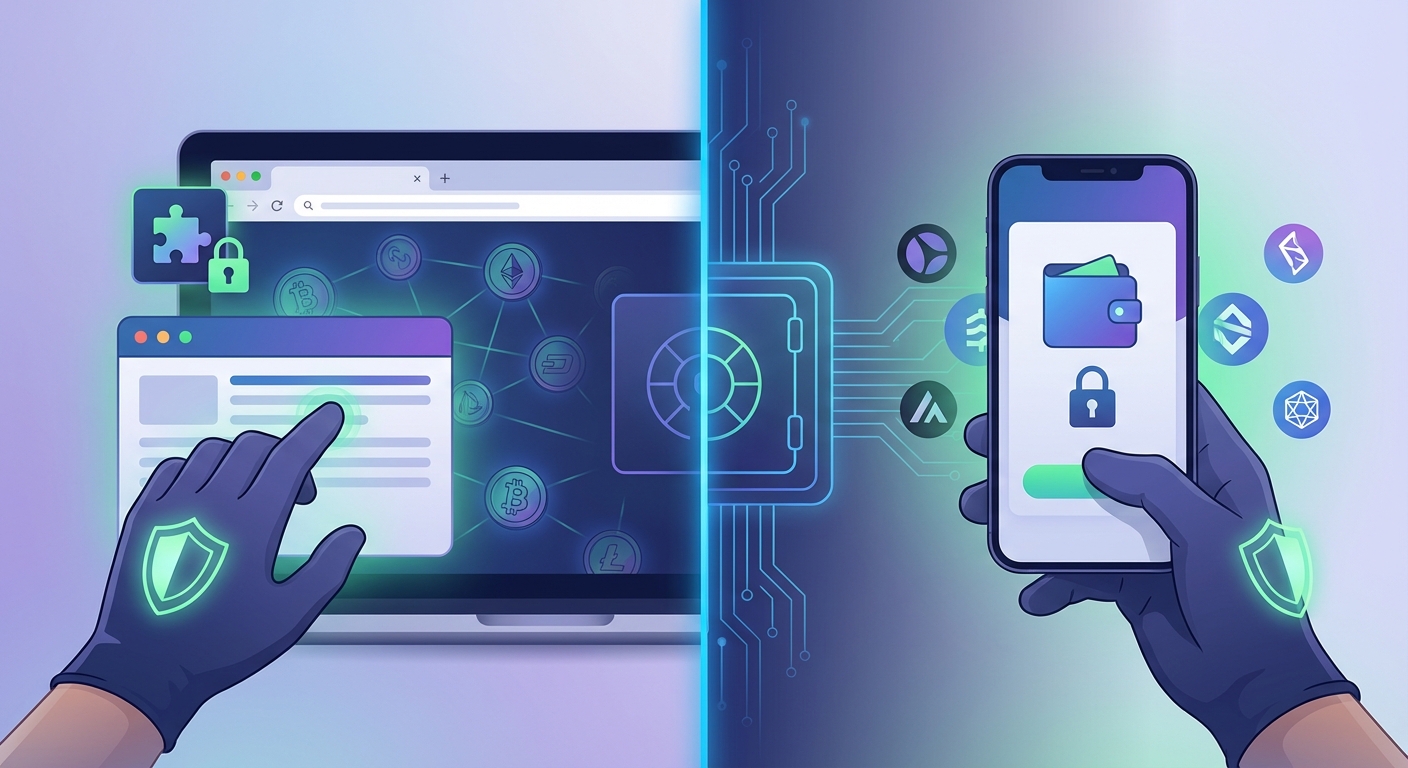
Browser extensions and mobile wallets each offer different security trade-offs. Extensions face more malware and phishing risks but provide better desktop integration. Mobile wallets benefit from device-level security features but remain vulnerable to phone theft and app store compromises. Your choice depends on how you use DeFi, what devices you trust, and which threats worry you most.
Understanding how each wallet type works
Browser extension wallets install directly into Chrome, Firefox, Brave, or other web browsers. They run as small programs that inject code into websites you visit. When you connect to a DeFi protocol like Uniswap, the extension detects smart contract requests and prompts you to approve transactions.
Mobile wallet apps live on your phone’s operating system. They function as standalone applications downloaded from the App Store or Google Play. These apps contain their own browser for visiting DeFi sites, or they connect to decentralized apps through deep links and WalletConnect protocols.
Both types are “hot wallets” because they stay connected to the internet. This makes them convenient for frequent trading and providing liquidity on protocols but also exposes them to online threats that cold storage avoids.
The core difference lies in where your private keys live and how the software interacts with websites. Browser extensions operate within your desktop environment, sharing space with every other program and browser tab. Mobile apps run in sandboxed environments that your phone’s operating system controls.
Security strengths of browser extensions
Desktop computers typically offer more screen space for reviewing transaction details. You can see smart contract interactions more clearly before signing. Larger displays make it harder for attackers to hide malicious transaction parameters in tiny text.
Browser extensions integrate seamlessly with desktop DeFi workflows. You can research protocols in one tab, check blockchain explorers in another, and approve transactions without switching devices. This reduces the chance of making mistakes when copying addresses or verifying contract details.
Many extensions support hardware wallet integration better than mobile apps. You can connect a Ledger or Trezor device to your computer and use the extension as an interface while keeping private keys on the hardware device. This setup combines convenience with cold storage security.
Extensions receive updates faster than mobile apps because they skip app store review processes. When developers discover vulnerabilities, they can push fixes immediately. Users get security patches within hours instead of waiting days for app store approval.
Power users appreciate the ability to inspect extension code and permissions. Technical users can review what data the wallet accesses and verify that it matches the published source code. This transparency helps identify suspicious behavior before it causes damage.
Security weaknesses of browser extensions
Your browser runs dozens of extensions, any of which could be malicious. A compromised ad blocker or productivity tool might inject code that steals wallet data. Extensions share the browser environment, creating more attack surface than isolated mobile apps.
Phishing sites target browser wallet users relentlessly. Attackers create fake versions of popular DeFi protocols that look identical to real ones. When you connect your wallet, these sites request permissions that drain your funds. The browser environment makes these scams harder to detect.
Malware on your computer can monitor clipboard data, screenshot your seed phrase, or inject fake transaction prompts. Desktop operating systems face more malware threats than mobile platforms. A keylogger could capture your password when you type it.
Browser extensions can’t use biometric authentication as reliably as phones. Most rely on passwords alone, which users often make weak or reuse across sites. Face ID and fingerprint sensors on phones add an extra security layer that desktops lack.
Some extensions request excessive permissions that go beyond wallet functions. They might read all website data, access your browsing history, or communicate with external servers. Users rarely review these permissions carefully before clicking “Add to Chrome.”
Security strengths of mobile wallets
Modern smartphones include dedicated security chips that protect cryptographic operations. These secure enclaves isolate private keys from the main operating system. Even if malware infects your phone, it can’t easily extract keys from the secure element.
Biometric authentication makes mobile wallets harder to access without your physical presence. Face ID, Touch ID, and fingerprint sensors verify your identity before approving transactions. This prevents someone from draining your wallet if they steal your password.
App stores provide some security vetting before allowing wallet apps. Apple and Google review applications for obvious malware and policy violations. While not perfect, this process filters out many malicious apps that would otherwise reach users.
Mobile operating systems sandbox each application. Apps can’t easily access data from other apps or monitor system-wide activity. This isolation limits what attackers can do even if they compromise one application on your device.
Phone theft triggers remote wipe capabilities. If someone steals your device, you can erase it remotely through Find My iPhone or Android Device Manager. This prevents thieves from accessing your wallet even if they have physical possession.
Security weaknesses of mobile wallets
Smaller screens make transaction details harder to review. Complex smart contract interactions get compressed into tiny text that’s easy to overlook. Attackers exploit this by hiding malicious parameters where mobile users won’t notice them.
Phone theft poses a direct threat to your crypto. If someone steals your unlocked phone or breaks your PIN, they gain immediate access to your wallet. Physical security becomes just as important as digital security.
Mobile apps depend on app store availability. If Apple or Google removes a wallet app, you might lose access to updates or even the ability to reinstall. Some users have found themselves locked out when stores pulled apps without warning.
Backup and recovery on mobile devices can be tricky. Cloud backups might expose your seed phrase if not encrypted properly. Users who rely on iCloud or Google Drive for backups risk losing funds if those accounts get compromised.
Mobile wallets often include built-in browsers that lack the security features of full desktop browsers. These simplified browsers might not detect phishing sites as effectively or warn you about suspicious certificates.
Common threats that target both wallet types
| Threat Type | How It Works | Prevention Strategy |
|---|---|---|
| Phishing Sites | Fake DeFi sites that steal approvals | Always verify URLs before connecting |
| Malicious Approvals | Unlimited token spending permissions | Revoke approvals after each transaction |
| Clipboard Hijacking | Malware that changes copied addresses | Verify addresses character by character |
| Social Engineering | Scammers posing as support staff | Never share seed phrases with anyone |
| Compromised Updates | Fake wallet updates with backdoors | Only update through official channels |
Both wallet types face similar threats at the protocol level. When you interact with DeFi platforms, the smart contracts don’t care whether you’re using a browser or phone. Malicious contracts drain funds the same way regardless of your device.
Seed phrase theft remains the biggest risk for any hot wallet. If attackers get your 12 or 24 word recovery phrase, they can recreate your wallet on any device. This applies equally to browser extensions and mobile apps.
How to choose the right wallet for your situation
Consider your primary use case first. If you trade frequently from a desktop computer, a browser extension makes more sense. If you borrow crypto or interact with DeFi on the go, a mobile wallet fits better.
Think about your technical comfort level. Browser extensions require more vigilance about desktop security. You need to keep your computer clean, use strong passwords, and avoid suspicious downloads. Mobile wallets shift some security responsibility to your phone’s operating system.
Evaluate your existing security setup. Do you already use a hardware wallet? Browser extensions integrate more easily with Ledger and Trezor devices. Do you have strong biometric security on your phone? Mobile wallets can take advantage of those features.
Consider using both types for different purposes. Keep a browser extension with small amounts for frequent trading. Store larger holdings in a mobile wallet or cold storage option that you access less often.
Steps to secure a browser extension wallet
-
Download only from official sources. Visit the wallet project’s website directly and click their official browser store link. Never install extensions from third-party sites or email links.
-
Review permissions before installing. Check what data the extension can access. Be suspicious of any wallet that requests permission to read all website data or access unrelated browser features.
-
Create a strong, unique password. Use a password manager to generate and store a complex password you’ve never used anywhere else. Enable any additional security features the wallet offers.
-
Write down your seed phrase offline. Use pen and paper, never digital notes or screenshots. Store the paper in a secure location like a safe. Consider splitting it between two locations for redundancy.
-
Test with small amounts first. Send a tiny transaction to verify everything works correctly. Practice recovering your wallet from the seed phrase on a different device before trusting it with significant funds.
-
Keep your browser and operating system updated. Security patches fix vulnerabilities that attackers exploit. Enable automatic updates so you don’t forget this critical step.
Steps to secure a mobile wallet
-
Download from official app stores only. Search for the wallet by name in the App Store or Google Play. Verify the developer name matches the official project before installing.
-
Enable biometric authentication immediately. Set up Face ID or fingerprint unlock as soon as you install the app. This adds a layer of protection if someone gets physical access to your phone.
-
Use a strong device passcode. Your phone’s lock screen is the first defense against theft. Choose a six-digit PIN at minimum, or use a longer alphanumeric password.
-
Back up your seed phrase securely. Write it on paper and store it somewhere safe. Do not take photos of it or save it in cloud storage unless you encrypt it separately.
-
Disable cloud backup for the wallet app. Go into your phone’s backup settings and exclude the wallet app from automatic backups. This prevents seed phrases from syncing to cloud servers.
-
Test recovery before adding funds. Delete and reinstall the app, then restore from your seed phrase. This confirms your backup works before you trust it with real money.
Best practices that apply to both wallet types
Never share your seed phrase with anyone. No legitimate support team will ever ask for it. Anyone who requests your recovery phrase is trying to steal your funds.
Bookmark your favorite DeFi sites. Type URLs manually the first time, then save them as bookmarks. Always access protocols through these bookmarks instead of clicking links in messages or search results.
Revoke token approvals regularly. Many DeFi interactions grant unlimited spending permissions. Use tools like Revoke.cash to remove approvals you no longer need.
Security in DeFi requires constant vigilance. The protocols themselves might be trustless, but the interfaces you use to access them remain vulnerable to human error and social engineering. Your wallet is only as secure as your habits.
Keep separate wallets for different purposes. Use one wallet for experimenting with new protocols and another for holding valuable assets. This limits damage if you accidentally approve a malicious contract.
Stay informed about common scams targeting wallet users. Follow security researchers and wallet developers on social media. Join community channels where users share warnings about new threats.
Advanced security considerations
Hardware wallet integration changes the security calculation significantly. Both browser extensions and mobile apps can connect to hardware wallets, but the experience differs. Desktop setups typically offer smoother hardware wallet connections through USB or Bluetooth.
Multi-signature wallets add another security layer. These require multiple approvals before executing transactions. Some browser extensions support multi-sig better than mobile apps, though this varies by wallet.
Network security matters more for browser extensions. Your desktop computer likely connects to more networks than your phone. Public WiFi at coffee shops poses risks. Consider using a VPN when accessing DeFi from untrusted networks.
Mobile wallets face SIM swapping attacks. If someone convinces your phone carrier to transfer your number to their device, they might bypass SMS-based recovery methods. Use authenticator apps instead of SMS for any account security.
Real-world security incidents and lessons
Major wallet compromises have affected both browser extensions and mobile apps. In 2022, several browser extensions suffered supply chain attacks when developers’ accounts got compromised. Attackers pushed malicious updates that stole users’ funds within hours.
Mobile wallets have faced issues with fake apps in app stores. Scammers create clones of popular wallets with similar names and icons. Users who download these imposters lose their funds immediately upon entering seed phrases.
Phishing attacks remain the most common threat regardless of wallet type. Fake Uniswap sites, counterfeit NFT marketplaces, and fraudulent token airdrops target users on both platforms. The delivery method changes, but the core scam stays the same.
These incidents teach us that no wallet type is perfectly safe. Security depends more on user behavior than the specific technology. Understanding threats and following best practices matters more than choosing between browser or mobile.
Making your decision based on your risk profile
High-value holders should prioritize cold storage over either hot wallet option. If you’re staking significant amounts or holding long-term, neither browser extensions nor mobile wallets provide adequate security.
Active traders might prefer browser extensions for their desktop integration and larger screens. The ability to review complex transactions carefully outweighs the additional malware risks if you maintain good computer hygiene.
Casual users who check their portfolio occasionally might find mobile wallets more convenient. The biometric security and device-level protections compensate for smaller screens and limited transaction visibility.
New users should start with whichever platform they understand better. Learning good security habits matters more than the specific wallet type. You can always migrate to a different solution as your needs evolve.
Combining both wallet types strategically
Many experienced users maintain wallets on both platforms. They use browser extensions for complex DeFi interactions that require careful review. They use mobile wallets for simple transactions and monitoring on the go.
This approach requires managing multiple seed phrases securely. Each wallet needs its own backup stored safely. The added complexity only makes sense if you genuinely use both platforms regularly.
Some users create a “hot wallet rotation” system. They move funds between browser and mobile wallets periodically, keeping only what they need for immediate transactions in either location. The bulk stays in cold storage.
Cross-platform strategies work best when you understand the security model of each wallet type. Don’t assume that using both automatically makes you safer. Poor security practices on either platform can compromise your entire setup.
Protecting yourself beyond wallet choice
The wallet itself is just one piece of your security posture. Your email account, password manager, and device security all matter just as much. Attackers often target these peripheral systems instead of attacking wallets directly.
Enable two-factor authentication on every account related to crypto. Use hardware security keys when possible, authenticator apps as a backup, and never rely on SMS codes alone.
Keep your recovery information offline and distributed. Store seed phrases in multiple physical locations. Consider using metal backup plates that survive fire and water damage.
Stay educated about emerging threats and scams. The DeFi security landscape changes constantly. What worked last year might not protect you today.
Which wallet type wins for security?
Neither browser extensions nor mobile wallets definitively win the security battle. Each offers different protections and faces unique vulnerabilities. Your personal situation determines which risks you can tolerate and which security features you need most.
Browser extensions give you better transaction visibility and hardware wallet integration. Mobile wallets provide stronger device-level security and biometric authentication. Both remain vulnerable to phishing, social engineering, and user error.
The best security comes from understanding your wallet’s weaknesses and compensating for them through careful practices. Choose the wallet type that matches your usage patterns, then implement strong security habits regardless of your choice. Your behavior matters more than the technology.
Start with small amounts on whichever platform you choose. Learn how it works, practice recovery procedures, and gradually increase your holdings as you gain confidence. Security isn’t about making perfect choices upfront. It’s about building good habits over time and staying alert to new threats as they emerge.