You’re swapping tokens three times a day, providing liquidity across multiple protocols, and checking yield farms before your morning coffee. Then someone tells you to buy a hardware wallet. But doesn’t that mean unplugging the device, confirming every transaction, and waiting for approvals each time you want to interact with a protocol? For active DeFi participants, the friction feels real.
Hardware wallets provide superior security for DeFi users by keeping private keys offline, but they add friction to frequent transactions. The right approach depends on your portfolio size, transaction frequency, and risk tolerance. Most active users benefit from a hybrid setup: hardware wallets for large holdings and hot wallets for daily DeFi operations.
Understanding the security trade-off in DeFi
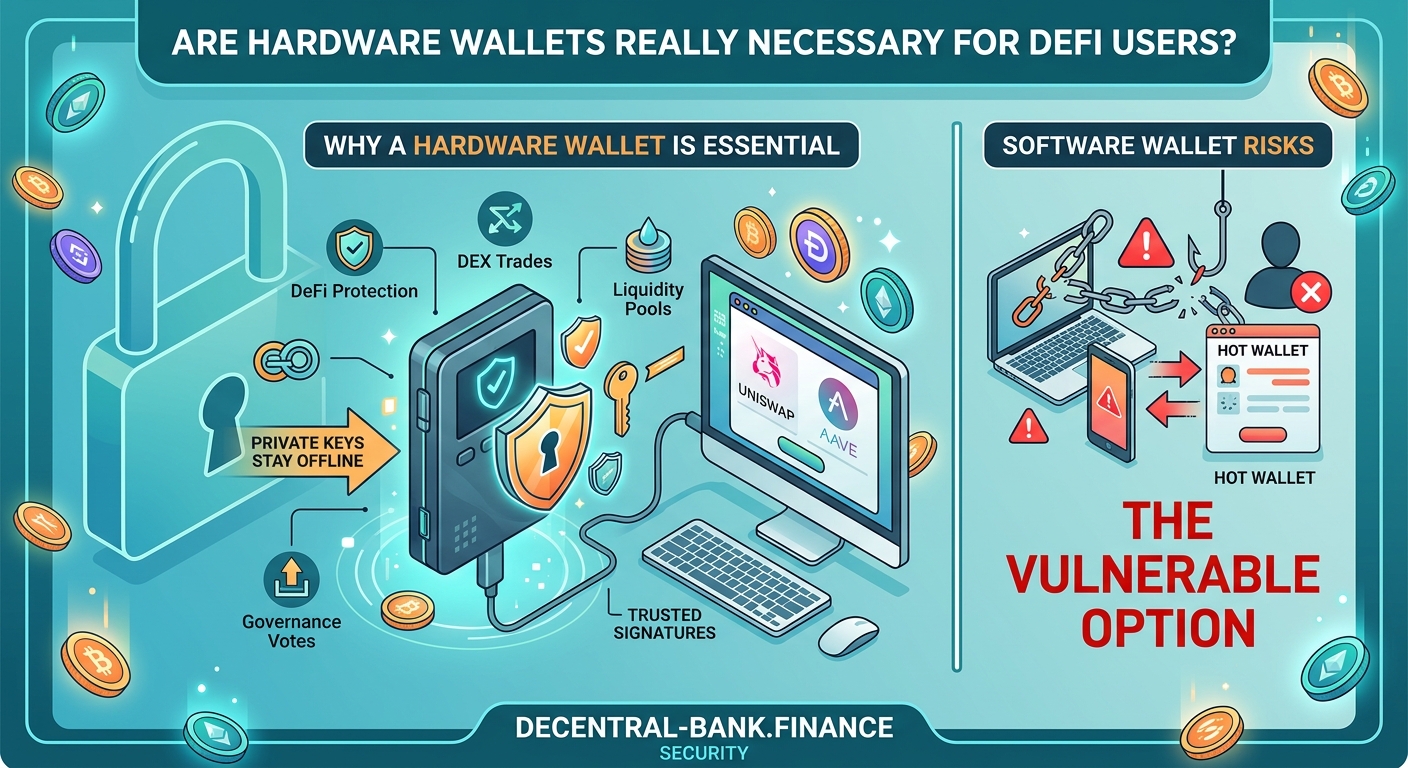
Hot wallets make DeFi participation seamless. You connect to protocols instantly, approve transactions with a single click, and switch between networks without physical devices. But your private keys live in software connected to the internet, exposed to malware, phishing sites, and compromised browser extensions.
Hardware wallets keep your private keys on a physical device that never touches the internet. Even if your computer gets infected with malware, attackers can’t access your keys. But you sacrifice speed. Every transaction requires physical confirmation on the device.
How does DeFi actually work without banks or middlemen explains why this self-custody model puts full responsibility on you.
The real question isn’t whether hardware wallets are more secure. They absolutely are. The question is whether that security level matches your actual risk profile and usage patterns.
When hardware wallets make sense for DeFi users
Portfolio value matters more than transaction frequency. If you’re managing five figures or more in crypto assets, the cost of a hardware wallet ($50 to $200) represents insurance worth paying for. A single compromised transaction could wipe out your entire portfolio.
Consider these scenarios where hardware wallets become essential:
- Holding governance tokens worth more than $10,000
- Providing liquidity in pools with significant capital
- Staking assets with lock-up periods of months or years
- Managing treasury funds for DAOs or protocols
- Holding NFTs with substantial market value
For smaller portfolios under $5,000, the security benefit may not justify the workflow friction, especially if you’re making multiple DeFi transactions daily. Should you use a hardware wallet? A beginner’s cost-benefit analysis breaks down the math in detail.
The hybrid wallet strategy most DeFi users adopt
Active DeFi participants rarely use just one wallet type. The most practical approach splits assets across multiple wallets based on function and risk tolerance.
Here’s how to set up a three-wallet system:
-
Hardware wallet for cold storage: Keep 70-80% of your total portfolio here. Use it for long-term holdings, staked assets, and governance tokens you’re not actively trading. Only connect it when absolutely necessary.
-
Hot wallet for active DeFi: Maintain 15-25% of your portfolio in a hot wallet like MetaMask or Rabby. Use this for daily swaps, liquidity provision, yield farming, and protocol testing.
-
Burner wallet for new protocols: Keep 5-10% in a separate hot wallet specifically for interacting with unaudited protocols or new DeFi applications. If this wallet gets compromised, your losses stay contained.
This structure lets you participate actively in DeFi while keeping most assets secure. You’re not choosing between security and convenience. You’re allocating both based on actual usage patterns.
5 critical mistakes beginners make when setting up their first DeFi wallet covers common setup errors that compromise even well-designed wallet strategies.
Real costs of using hardware wallets for frequent DeFi transactions
Hardware wallets add time and friction to every DeFi interaction. Let’s quantify what that actually means for active users.
| Transaction Type | Hot Wallet Time | Hardware Wallet Time | Time Added |
|---|---|---|---|
| Token swap on DEX | 30 seconds | 2-3 minutes | 90-150 seconds |
| Adding liquidity | 1 minute | 3-4 minutes | 120-180 seconds |
| Claiming rewards | 20 seconds | 1-2 minutes | 40-100 seconds |
| Approving token spend | 15 seconds | 1 minute | 45 seconds |
| Staking tokens | 45 seconds | 2-3 minutes | 75-135 seconds |
If you make 10 DeFi transactions per day, hardware wallets add 15-25 minutes of confirmation time. Over a month, that’s 7-12 hours spent physically confirming transactions.
For traders executing time-sensitive strategies or arbitrage opportunities, this delay becomes prohibitive. You might miss price movements or liquidity windows while waiting for hardware wallet confirmations.
Gas fees compound the issue. Failed transactions still cost gas, and hardware wallets make it harder to cancel or speed up pending transactions during network congestion.
Common hardware wallet mistakes that expose DeFi users to risk
Owning a hardware wallet doesn’t guarantee security. Poor practices can negate the protection entirely.
Leaving your hardware wallet connected: Some users keep their hardware wallets plugged in for convenience. This defeats the entire purpose. Unplug the device after every session.
Not verifying transaction details on the device screen: Always check the recipient address, token amount, and contract interaction on your hardware wallet screen before confirming. Malware can modify transaction details displayed in your browser.
Storing your seed phrase digitally: Taking a photo of your recovery phrase or saving it in a password manager eliminates the offline security benefit. How to safely store your seed phrase without digital backups provides proper storage methods.
Using the same hardware wallet for testing and cold storage: If you’re experimenting with new protocols, use a separate device or a hot wallet. Don’t risk your cold storage by connecting it to untested smart contracts.
Ignoring firmware updates: Hardware wallet manufacturers regularly patch security vulnerabilities. Skipping updates leaves you exposed to known exploits.
Smart contract interactions require extra caution with hardware wallets
DeFi protocols require token approvals before you can interact with their smart contracts. When you approve a token spend, you’re giving that contract permission to move your tokens.
Hardware wallets force you to review these approvals carefully. The device screen shows exactly what you’re authorizing. But you need to understand what you’re looking at.
What happens when you approve a smart contract explains the technical details, but here’s what matters for hardware wallet users:
- Unlimited approvals let contracts spend all tokens of a specific type from your wallet
- Limited approvals restrict spending to a specific amount
- Revoked approvals remove previously granted permissions
Hardware wallets make it easier to spot suspicious approval requests, but only if you actually read the transaction details on the device screen. Many users blindly confirm without checking.
Always verify the contract address displayed on your hardware wallet screen matches the official protocol address. Phishing sites create fake interfaces that request approvals for malicious contracts.
What are token approval exploits and how can you revoke them covers how to audit and clean up your existing approvals.
Comparing popular hardware wallets for DeFi compatibility
Not all hardware wallets work equally well with DeFi protocols. Some support more networks and applications than others.
Ledger devices (Nano S Plus, Nano X, Stax) support the widest range of DeFi protocols and blockchain networks. They integrate well with MetaMask and other wallet interfaces. The Nano X includes Bluetooth, letting you confirm mobile transactions. But Bluetooth adds a potential attack vector.
Trezor devices (Model One, Model T) offer open-source firmware and strong security, but support fewer DeFi networks out of the box. They work best with Ethereum and EVM-compatible chains.
GridPlus Lattice1 provides the fastest transaction confirmation for active DeFi users through its touchscreen interface. It costs more ($400+) but reduces the friction of hardware wallet usage significantly.
Keystone (formerly Cobo Vault) uses QR codes instead of USB connections, providing air-gapped security. This makes it slower for frequent transactions but offers maximum protection for cold storage.
For active DeFi participation, Ledger devices provide the best balance of security, compatibility, and user experience. For maximum security cold storage, Keystone’s air-gapped design wins.
Setting up your hardware wallet for optimal DeFi security
Proper setup prevents most security issues before they start. Follow these steps exactly:
-
Buy directly from the manufacturer: Never purchase hardware wallets from third-party sellers or marketplaces. Tampered devices compromise your security from day one.
-
Generate your seed phrase offline: Complete the entire setup process without connecting to a computer. Write down your recovery phrase on paper, never digitally.
-
Verify the device is genuine: Check for tamper-evident seals and verify the device firmware through the manufacturer’s official software.
-
Create a strong PIN: Use the maximum allowed PIN length. Avoid obvious patterns or sequences.
-
Test recovery before funding: Send a small amount of crypto, then wipe the device and restore it using your seed phrase. This confirms your backup works.
-
Set up a passphrase (25th word): Advanced users can add an optional passphrase that creates a completely separate wallet. This provides plausible deniability and protects against physical theft.
What happens if you lose your seed phrase? Recovery options explained details why proper backup procedures matter so much.
Alternative security options for active DeFi users
Hardware wallets aren’t the only way to improve security while maintaining reasonable convenience.
Multi-signature wallets require multiple approvals before executing transactions. You can set up a 2-of-3 configuration where you control two keys (one on your phone, one on your computer) and a trusted party holds the third. This protects against single points of failure. Multi-signature wallets explained: when do you actually need one covers implementation details.
Smart contract wallets like Safe (formerly Gnosis Safe) offer programmable security rules. You can set spending limits, require multiple confirmations for large transactions, and add recovery mechanisms. These work entirely on-chain without additional hardware.
Mobile wallet apps with biometric security provide better protection than browser extensions while maintaining transaction speed. Apps like Rainbow, Trust Wallet, and Coinbase Wallet use your phone’s secure enclave for key storage.
Social recovery wallets let you designate trusted contacts who can help recover your wallet if you lose access. Argent pioneered this approach, removing the single point of failure that seed phrases create.
Each option involves different trade-offs between security, convenience, and complexity. Browser extension vs mobile wallet apps: which is more secure for DeFi compares these approaches in depth.
Protecting your DeFi portfolio without sacrificing speed
You don’t need to choose between security and active DeFi participation. The right approach matches your security measures to your actual risk exposure.
For portfolios under $5,000, a well-secured hot wallet with good operational security practices provides adequate protection. Use a dedicated device for DeFi transactions, enable all available security features, and never approve unlimited token spends.
For portfolios between $5,000 and $50,000, implement the hybrid strategy described earlier. Keep most assets in a hardware wallet, maintain a working balance in a hot wallet for daily operations, and use a burner wallet for experimental protocols.
For portfolios over $50,000, hardware wallets become non-negotiable for the majority of your holdings. Consider adding multi-signature protection for amounts over $100,000.
The complete DeFi security checklist for beginners provides a comprehensive framework for protecting your assets at any portfolio size.
Making the hardware wallet decision work for your DeFi strategy
The hardware wallet question comes down to your specific situation. Calculate your total crypto holdings, count your average daily transactions, and evaluate your technical comfort level.
If you’re providing liquidity worth $20,000 but only rebalancing weekly, the hardware wallet friction matters less than the security benefit. If you’re actively trading with $3,000 and making 15 transactions daily, a hot wallet with strong security practices might serve you better.
Start with proper operational security regardless of wallet type. Use unique passwords, enable two-factor authentication everywhere possible, bookmark official protocol URLs, and verify contract addresses before every interaction. 5 free tools to check if a DeFi protocol is safe helps you evaluate protocols before connecting any wallet.
Your wallet strategy should evolve as your portfolio grows. What works for $2,000 in assets won’t suffice for $200,000. Reassess your security setup every few months as your holdings and DeFi activities change.
Hardware wallets aren’t necessary for everyone, but they become increasingly important as your stake in DeFi grows. Match your security investment to your actual risk exposure, and you’ll find the right balance between protection and usability.