Managing crypto across different networks used to mean juggling separate wallets for each blockchain. That meant different seed phrases, multiple backups, and a confusing mess of interfaces. The good news? Modern wallets changed that entirely.
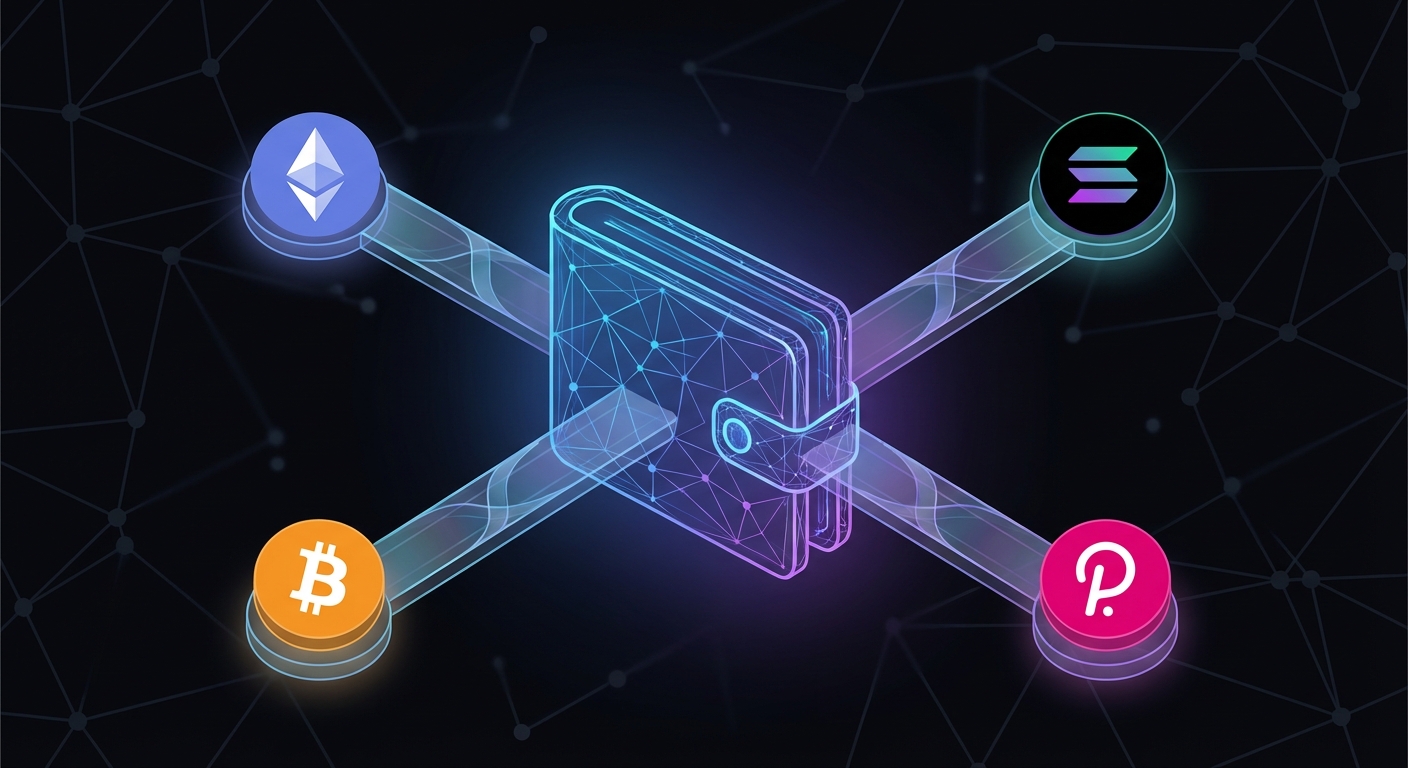
Yes, one wallet can hold multiple blockchains through multi-chain support. A single seed phrase controls different addresses across networks like Ethereum, Solana, and Polygon. Each blockchain gets its own address, but you manage everything from one interface. This simplifies backups, reduces security risks, and makes cross-chain activity easier without sacrificing control over your private keys.
What a multi-chain wallet actually means
A multi-chain wallet doesn’t merge blockchains into one magical address. Instead, it generates separate addresses for each network you want to use, all derived from the same seed phrase.
Think of it like having one master key that opens different doors in different buildings. Your Ethereum address looks different from your Solana address, but they both come from the same 12 or 24-word recovery phrase.
This matters because blockchains are isolated systems. Ethereum can’t see Solana transactions. Polygon doesn’t know what happens on Avalanche. Your wallet software bridges that gap by supporting multiple networks simultaneously.
The wallet interface shows all your assets in one place, even though they live on completely separate chains. You switch between networks with a dropdown menu or network selector. The wallet handles the technical details behind the scenes.
How addresses work across different networks
Each blockchain has its own address format. Ethereum addresses start with “0x” and look like random letters and numbers. Solana addresses use a different encoding system entirely. Bitcoin addresses follow yet another structure.
When you create a multi-chain wallet, the software generates a unique address for each supported blockchain. All these addresses trace back to your single seed phrase through a process called hierarchical deterministic (HD) derivation.
Here’s what happens behind the scenes:
- Your seed phrase creates a master private key
- The wallet derives child keys for each blockchain using standardized paths
- Each child key generates a public address for that specific network
You never see most of this complexity. The wallet shows you one address per blockchain, and you use whichever one matches the network you’re working with.
Sending Bitcoin to an Ethereum address won’t work. The networks are incompatible. Your wallet prevents these mistakes by clearly labeling which address belongs to which chain.
Single wallet versus multiple separate wallets
Using one multi-chain wallet instead of separate applications offers clear advantages:
- One backup to protect: You only need to secure one seed phrase instead of five or ten different recovery phrases
- Unified interface: Check all your holdings without switching between apps
- Simpler security: Fewer wallets mean fewer potential attack surfaces
- Easier portfolio tracking: See your total value across chains instantly
- Reduced confusion: No more wondering which wallet holds which tokens
But there are tradeoffs. If someone compromises your seed phrase, they access everything across all chains. With separate wallets, a breach only affects one network.
Some users prefer dedicated wallets for different purposes. They might use one wallet for long-term holdings and another for interacting with DeFi protocols on Ethereum.
The security question comes down to how you manage your seed phrase. A well-protected multi-chain wallet is safer than poorly managed separate wallets.
Common multi-chain wallet types
Different wallet architectures support multiple blockchains in different ways. Understanding these categories helps you pick the right tool.
Software wallets like MetaMask, Trust Wallet, and Phantom run as browser extensions or mobile apps. They support multiple networks through built-in integrations or custom RPC endpoints. You control your private keys, and the wallet stores them encrypted on your device.
Hardware wallets like Ledger and Trezor generate and store private keys on physical devices. They support dozens of blockchains through companion software. Your seed phrase never touches an internet-connected device, which dramatically improves security.
MPC wallets use multi-party computation to split your private key across multiple locations. No single point holds the complete key. These wallets support multiple chains while offering better recovery options than traditional seed phrases.
Custodial wallets managed by exchanges or services hold your keys for you. They can support many blockchains easily because you don’t control the underlying infrastructure. The tradeoff is you trust the service to protect your assets.
For choosing between hot and cold storage, hardware wallets offer the best multi-chain security for significant holdings.
Setting up your first multi-chain wallet
Getting started with a multi-chain wallet takes less than ten minutes. Here’s the process:
- Download a reputable wallet from official sources only (never third-party app stores)
- Create a new wallet and write down your seed phrase on paper
- Verify your backup by entering the words in the correct order
- Enable the networks you need through the wallet’s settings or network menu
- Fund your wallet by sending small test amounts first
Never screenshot your seed phrase. Don’t store it in cloud services, password managers, or anywhere digital. Physical paper stored securely beats digital convenience every time.
Most wallets show Ethereum by default. You’ll need to manually add networks like Polygon, Arbitrum, or BNB Chain through network settings. Some wallets detect networks automatically when you try to interact with a dApp.
Test everything with small amounts before moving significant funds. Send $10 worth of tokens first. Confirm they arrive. Then scale up.
Managing assets across multiple blockchains
Once your wallet supports multiple chains, you’ll notice each network operates independently. Your Ethereum balance doesn’t appear on Polygon, even though you use the same wallet interface.
To move assets between chains, you need a bridge. Bridges are smart contracts that lock tokens on one chain and mint equivalent tokens on another. This process isn’t instant and usually costs fees on both networks.
Some wallets integrate bridge functionality directly. Others require you to visit separate bridge websites. Always verify you’re using official bridges, not phishing sites.
| Action | What happens | Cost |
|---|---|---|
| Switching networks | View different chain assets | Free |
| Sending within same chain | Transfer to another address | One network fee |
| Bridging between chains | Lock and mint across networks | Fees on both chains |
| Swapping tokens | Exchange one asset for another | Network fee plus swap fee |
Your wallet might show a combined portfolio value, but remember that each blockchain holds separate assets. You can’t spend Ethereum tokens to pay for Solana transactions.
Providing liquidity across different chains requires understanding how each network’s DeFi ecosystem works independently.
Security considerations for multi-chain wallets
Using one wallet across multiple blockchains concentrates your risk. If your seed phrase leaks, every chain becomes vulnerable simultaneously.
Store your seed phrase like it’s the password to your bank account, because it basically is. Write it on paper, keep it in a safe place, and never share it with anyone claiming to offer “support.”
Watch for these common security mistakes:
- Entering your seed phrase into websites (legitimate services never ask for this)
- Using wallet apps from unofficial sources
- Connecting to suspicious dApps that request excessive permissions
- Keeping large amounts in hot wallets instead of hardware storage
- Reusing the same wallet for high-risk DeFi experiments and long-term holdings
Each blockchain you add increases your exposure to that network’s specific risks. Ethereum has different smart contract vulnerabilities than Solana. Polygon faces different validator risks than Avalanche.
Protecting yourself from scams becomes more complex when you’re active across multiple ecosystems.
Consider using separate wallets for different risk levels. Keep one multi-chain wallet for everyday transactions and a hardware wallet for long-term storage. This compartmentalization limits damage if one wallet gets compromised.
Network fees and transaction costs
Every blockchain charges different fees for transactions. These costs vary based on network congestion, transaction complexity, and the blockchain’s design.
Ethereum often has the highest fees, sometimes reaching $50 or more for complex smart contract interactions during busy periods. Layer 2 networks like Arbitrum and Optimism offer much lower costs, usually under $1.
Solana transactions typically cost fractions of a penny. Polygon fees stay low even during high activity. BNB Chain falls somewhere in the middle.
Your multi-chain wallet needs native tokens for each network to pay transaction fees:
- Ethereum and EVM chains need ETH
- Solana needs SOL
- Polygon needs MATIC
- BNB Chain needs BNB
- Avalanche needs AVAX
Keep small amounts of each network’s native token in your wallet. Running out of gas tokens means you can’t move assets, even if you hold thousands of dollars in other tokens on that chain.
Some wallets show estimated fees before you confirm transactions. These estimates aren’t always accurate during periods of network congestion. Always check current network conditions before making time-sensitive transactions.
Compatible networks and EVM chains
Most multi-chain wallets support Ethereum Virtual Machine (EVM) compatible chains more easily than non-EVM networks. EVM chains use the same address format and similar transaction structures.
Popular EVM-compatible networks include:
- Ethereum mainnet
- Polygon
- BNB Chain
- Avalanche C-Chain
- Arbitrum
- Optimism
- Fantom
- Cronos
Adding these networks to your wallet usually requires just entering RPC endpoint details. The wallet treats them similarly to Ethereum, which simplifies the user experience.
Non-EVM chains like Solana, Cosmos, Cardano, and Polkadot require deeper wallet integration. Not all multi-chain wallets support these networks. You might need specialized wallets for certain blockchains.
Some wallets focus on specific ecosystems. Phantom specializes in Solana. Keplr handles Cosmos chains. MetaMask dominates EVM networks but added limited Solana support recently.
Check which networks matter for your use case before choosing a wallet. If you only use Ethereum and Polygon, you don’t need a wallet that supports 50+ chains.
Cross-chain DeFi and protocol access
Different blockchains host different DeFi protocols. Uniswap runs on Ethereum and several EVM chains. Raydium operates on Solana. PancakeSwap lives on BNB Chain.
Your multi-chain wallet lets you access protocols on any supported network. You connect your wallet to a dApp, select the appropriate network, and interact with that chain’s smart contracts.
This opens up opportunities:
- Staking tokens on networks with better yields
- Borrowing against your assets on chains with lower fees
- Trading tokens that only exist on specific networks
- Participating in governance across multiple protocols
Each network’s DeFi ecosystem operates independently. Ethereum’s liquidity doesn’t help you on Solana. You need assets on the specific chain where the protocol runs.
This fragmentation creates complexity but also opportunity. Some traders exploit price differences between the same token on different chains. Others chase higher yields by moving assets to less congested networks.
Always verify you’re on the correct network before signing transactions. Sending funds to the wrong chain can make them unrecoverable.
Token standards across different chains
Blockchains use different token standards. Ethereum uses ERC-20 for fungible tokens and ERC-721 for NFTs. Other networks have their own standards.
When you hold USDC, you might actually hold several different versions:
- USDC on Ethereum (ERC-20)
- USDC on Polygon (also ERC-20, but on Polygon)
- USDC on Solana (SPL token)
- USDC on Avalanche (ERC-20 on Avalanche)
These are separate tokens. They trade at similar prices because bridges keep them connected, but they exist on different blockchains. Your wallet shows them as distinct assets when you switch networks.
Understanding different token types helps you recognize what you’re actually holding.
Some tokens only exist on one chain. Others deploy across multiple networks to increase accessibility. Always check which chain a token uses before buying or trading.
Wallet recovery and backup strategies
Your seed phrase is the only thing that matters for recovery. Lose it, and you lose everything across all chains. Protect it, and you can restore your entire multi-chain wallet on any compatible device.
Recovery works the same regardless of how many blockchains you use. Enter your seed phrase into a new wallet, enable the networks you used, and all your addresses regenerate exactly as before.
This creates both convenience and risk. One backup protects everything, but one compromise exposes everything.
Consider these backup approaches:
- Write your seed phrase on paper and store it in a fireproof safe
- Use metal backup plates designed for crypto seed phrases
- Store copies in multiple secure locations (not all in one place)
- Never take photos or digital copies of your seed phrase
- Test your backup by recovering a small wallet before trusting it with significant funds
Some users split their seed phrase using Shamir’s Secret Sharing, which requires multiple pieces to reconstruct the original phrase. This adds complexity but improves security for large holdings.
Hardware wallets often include recovery check features that let you verify your backup without exposing the seed phrase to a computer.
Limitations and what multi-chain wallets can’t do
Multi-chain wallets solve many problems but can’t overcome fundamental blockchain differences. They don’t automatically move assets between chains. They don’t merge separate blockchain states into one unified ledger.
You still need bridges to transfer tokens between networks. You still pay separate fees on each chain. You still face different security assumptions and validator sets on each network.
Some limitations to understand:
- Can’t send Bitcoin to an Ethereum address (different address formats)
- Can’t use Ethereum tokens to pay Solana transaction fees (different native tokens)
- Can’t see cross-chain transaction history in one unified timeline
- Can’t automatically rebalance assets across chains without manual bridges
- Can’t protect against chain-specific bugs or exploits
The wallet provides a unified interface, not a unified blockchain. Each network operates independently with its own rules, fees, and limitations.
Stablecoins work differently across chains, and your wallet can’t paper over those differences.
Choosing the right multi-chain wallet for your needs
Not all multi-chain wallets serve the same purpose. Pick based on what you actually need.
For beginners who want simplicity, Trust Wallet or MetaMask offer good starting points. They support major chains, have large user bases, and provide decent documentation.
For serious DeFi users managing significant value, hardware wallets like Ledger or Trezor combined with multi-chain software provide better security. The extra friction of approving transactions on a physical device prevents many common attacks.
For traders who need speed, browser extension wallets like Rabby or Rainbow optimize for fast network switching and transaction signing.
For mobile-first users, dedicated mobile wallets often work better than mobile versions of desktop wallets.
Ask yourself:
- Which blockchains do you actually use?
- How much value will you store?
- Do you need mobile access, desktop access, or both?
- Are you comfortable with hardware wallet workflows?
- Do you interact with many dApps or just hold assets?
Your wallet choice should match your actual usage patterns, not theoretical capabilities you’ll never use.
One wallet, many chains, simpler crypto
Managing cryptocurrency across multiple blockchains doesn’t require juggling separate wallets anymore. Modern multi-chain wallets give you one interface, one backup, and access to every major blockchain ecosystem.
You get separate addresses for each network, all controlled by one seed phrase. This simplifies backups and reduces the mental overhead of managing crypto across different platforms.
The tradeoffs matter. Concentrating everything in one wallet increases your risk if that wallet gets compromised. But for most users, the security benefits of managing one backup well outweigh the theoretical advantages of splitting assets across multiple wallets.
Start with small amounts. Test sending and receiving on each network you plan to use. Verify your backup works before moving significant funds. Then enjoy the simplicity of managing multiple blockchains from one place.
Your crypto journey gets easier when you’re not fighting with five different wallet apps just to check your balances.