You just bought your first Bitcoin or Ethereum. Congratulations. Now comes the part that actually matters: keeping it safe. The wallet you choose can mean the difference between sleeping soundly and waking up to find your funds gone. Hot wallets and cold wallets represent two fundamentally different approaches to cryptocurrency storage, each with distinct advantages and risks.
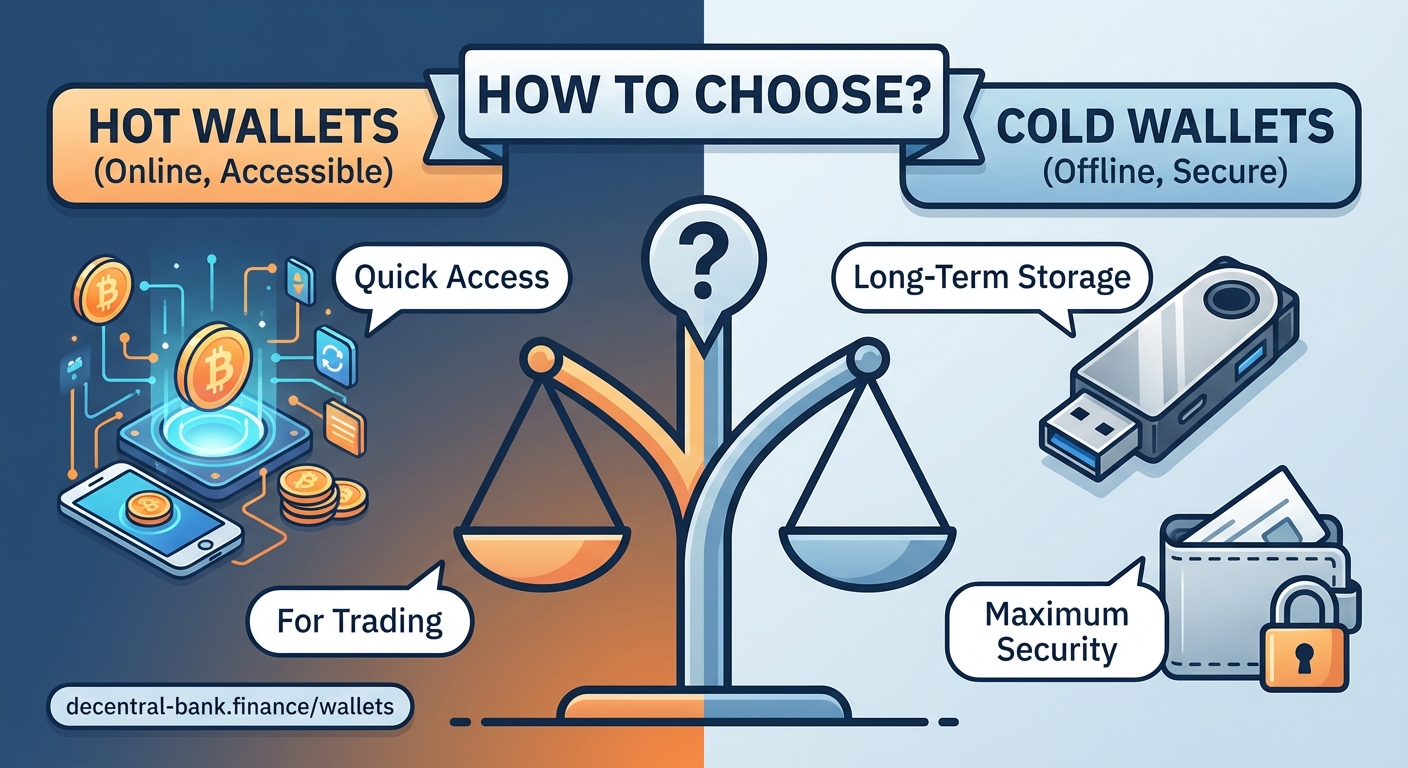
Hot wallets stay connected to the internet for convenient access but face higher security risks. Cold wallets store your crypto offline, offering maximum security at the cost of accessibility. Most users benefit from using both: cold storage for long-term holdings and hot wallets for active trading or daily transactions. Your choice depends on how often you need access and how much risk you can tolerate.
What makes a wallet hot or cold
The terms sound mysterious, but the concept is simple. A hot wallet maintains an active internet connection. Your phone wallet, browser extension, or exchange account all count as hot wallets. They can send and receive crypto instantly because your private keys live on a device that talks to the blockchain network constantly.
Cold wallets take the opposite approach. They keep your private keys completely offline. Hardware wallets like Ledger or Trezor, paper wallets with printed keys, and even metal plates with engraved seed phrases all qualify as cold storage. The internet never touches your keys unless you deliberately connect the device to authorize a transaction.
Think of it like cash versus a bank vault. Hot wallets are the $50 you carry in your pocket for coffee and lunch. Cold wallets are the savings you lock away for emergencies or retirement. You wouldn’t walk around with $10,000 in your jeans, and you wouldn’t store your daily coffee money in a safety deposit box.
Security differences that actually matter
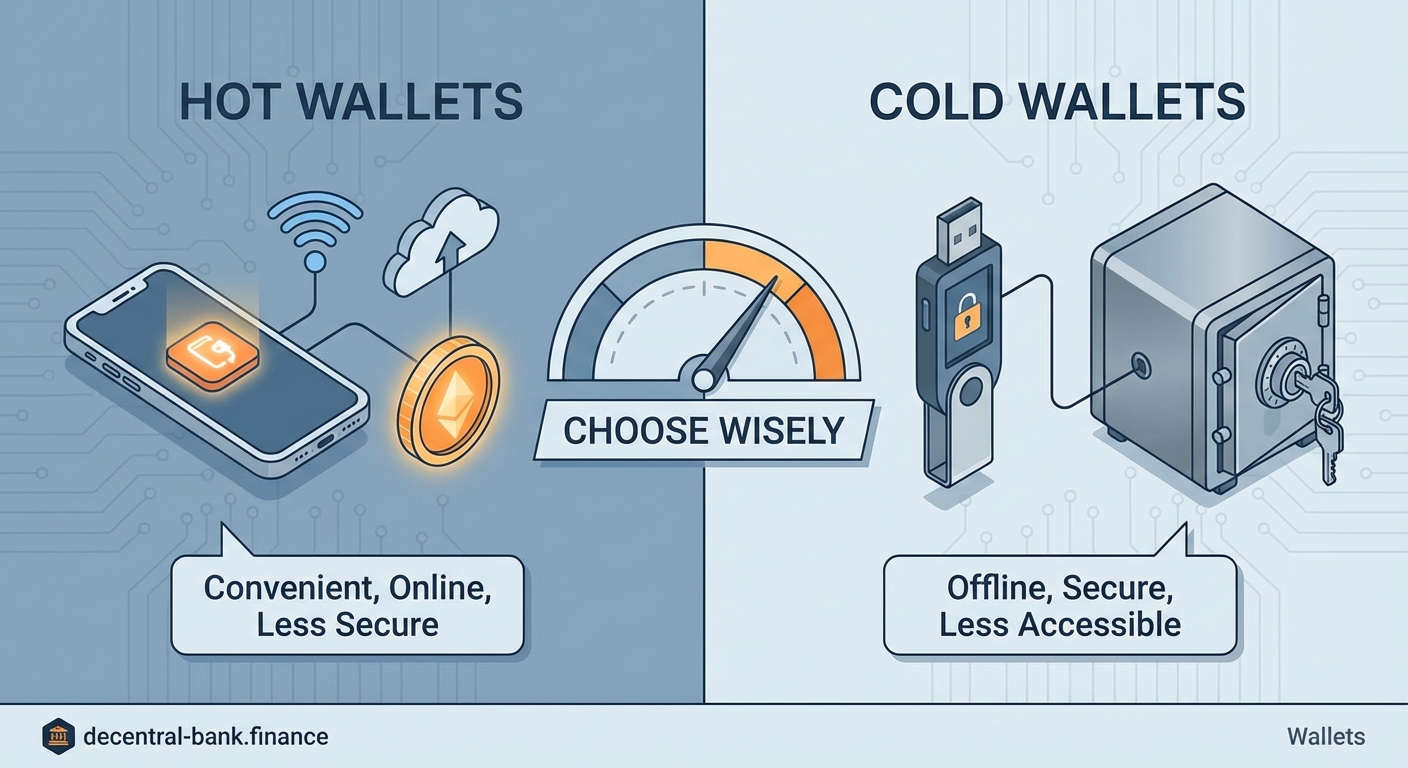
Hot wallets face constant threats. Hackers target exchange accounts through phishing emails. Malware scans your computer for wallet files. Keyloggers capture your passwords as you type. Your mobile wallet app could have a vulnerability that gets exploited before developers patch it.
The attack surface is huge because your keys exist on an internet-connected device. Every app you install, every website you visit, and every public WiFi network you join creates potential entry points for attackers.
Cold wallets eliminate most of these vectors. A hardware wallet generates and stores keys on a chip that never exposes them to your computer. Even if your laptop is infected with every virus known to humanity, the malware cannot extract your private keys because they never leave the device.
Paper wallets take this even further. Your keys exist only as printed QR codes or written text. No hacker can remotely steal something that has no digital footprint. The trade-off? Paper can burn, fade, or get thrown away by mistake.
| Storage Method | Internet Connection | Vulnerability to Remote Attacks | Ease of Use | Best For |
|---|---|---|---|---|
| Exchange wallet | Always online | High | Very easy | Active trading |
| Mobile hot wallet | Always online | High | Easy | Small amounts, daily use |
| Desktop hot wallet | Usually online | Medium to high | Moderate | Frequent transactions |
| Hardware wallet | Offline, connects only to sign | Very low | Moderate | Long-term holdings |
| Paper wallet | Completely offline | None (physical risks only) | Difficult | Cold storage, backups |
Convenience versus protection
Hot wallets win on speed and accessibility. You can send crypto in seconds from your phone while standing in line at the grocery store. No cables, no PIN entry on a separate device, no waiting. Many DeFi protocols only work smoothly with browser extension wallets that inject your account information into websites automatically.
This convenience comes at a price. Every exchange hack you read about in the news involves hot wallets. Mt. Gox, Coincheck, FTX… the list goes on. Even non-custodial hot wallets on your own device face risks. Drop your phone in a lake without a backup? Your funds are gone. Get your laptop stolen? Better hope you wrote down that seed phrase.
Cold wallets demand patience. Want to send Bitcoin from your hardware wallet? You need to:
- Find the device and connect it to your computer
- Enter your PIN to unlock it
- Open the companion software
- Verify the transaction details on the device screen
- Physically press buttons to confirm
This friction is actually a security feature. It gives you time to notice if something looks wrong. The transaction address displayed on your hardware wallet should match what you see on your computer screen. If they differ, malware is trying to redirect your funds.
The best security practice is treating your hot wallet like a checking account and your cold wallet like a savings account. Keep only what you need for immediate use in hot storage. Move everything else to cold storage as soon as practical.
Cost considerations and setup complexity
Hot wallets are usually free. Download an app, write down your seed phrase, and you’re ready. No upfront investment required. Exchange wallets don’t even need that much effort. Create an account, verify your identity, and start buying.
Hardware wallets cost between $50 and $200 depending on the model and features. That might seem steep, but consider it insurance. If you hold more than a few hundred dollars in crypto, the investment pays for itself the first time it prevents a loss.
Setup complexity varies. Modern hardware wallets have improved dramatically. Color screens, Bluetooth connectivity, and intuitive interfaces make them almost as easy as hot wallets. You still need to understand seed phrases and backup procedures, but manufacturers provide clear instructions.
Paper wallets require technical knowledge. You need to generate keys on an air-gapped computer (one that has never and will never connect to the internet), verify the generation software isn’t compromised, and print or write the keys securely. Most beginners should skip this option.
Common mistakes people make with both types
Hot wallet users often:
- Store large amounts on exchanges for months or years
- Reuse passwords across multiple services
- Ignore two-factor authentication options
- Click links in emails claiming to be from their wallet provider
- Install wallet apps from unofficial sources
Cold wallet users often:
- Lose or damage their hardware wallet without proper backups
- Store seed phrases digitally (defeating the purpose of cold storage)
- Use outdated firmware with known vulnerabilities
- Buy hardware wallets from third-party sellers who might have tampered with them
- Forget PINs and lock themselves out permanently
The most dangerous mistake applies to both: not understanding that you own the keys, not the coins. Your wallet doesn’t contain cryptocurrency. It contains the keys that prove you control addresses on the blockchain. Lose those keys, and no customer service department can help you.
Choosing the right approach for your situation
Your ideal setup depends on three factors: how much crypto you own, how often you transact, and your technical comfort level.
Scenario one: You bought $200 worth of crypto to try it out. You check prices occasionally but rarely buy or sell. A reputable mobile hot wallet works fine. The convenience outweighs the risk for small amounts. Just enable all available security features and write down your seed phrase.
Scenario two: You actively trade or use DeFi protocols daily. You need hot wallet access for speed. Keep only your trading stack in hot storage. Move profits to cold storage weekly or monthly. This limits your exposure if something goes wrong.
Scenario three: You accumulated significant holdings and plan to hold for years. Get a hardware wallet. The $100 investment is trivial compared to the value you’re protecting. Connect it only when you need to move funds, which might be once every few months.
Scenario four: You inherited or received a large amount of crypto and feel overwhelmed. Start with a hardware wallet from an official manufacturer. Take your time learning how it works. Don’t rush. The blockchain isn’t going anywhere.
Many experienced users run a hybrid system:
- Hardware wallet for 80-90% of holdings (long-term storage)
- Mobile hot wallet for 5-10% (daily spending and small transactions)
- Exchange account for 5-10% (active trading if applicable)
This approach balances security, convenience, and functionality. You’re not putting all your eggs in one basket, and you’re not sacrificing usability for paranoid security.
Recovery and backup strategies
Both wallet types require backups, but the methods differ. Hot wallets typically give you a 12 or 24-word seed phrase during setup. Write these words on paper in order. Store copies in multiple secure locations. Your home safe, a trusted family member’s house, a safety deposit box.
Never store seed phrases:
- In your email
- In cloud storage services
- In password managers connected to the internet
- As phone screenshots
- In unencrypted text files
Hardware wallets use the same seed phrase system. The device itself is just a convenient tool for using those keys. If your hardware wallet breaks, gets lost, or stops working, you can restore your accounts on a new device using the seed phrase.
Some users engrave seed phrases on metal plates designed to survive fire and flood. This sounds extreme, but house fires happen. Water damage happens. Paper degrades over time. For large holdings, metal backups make sense.
Test your backups. Seriously. Too many people write down their seed phrase, tuck it away, and assume it’s correct. Years later they need it and discover they wrote word 7 incorrectly. Before you send significant funds to a new wallet, practice recovering it from the seed phrase. Wipe the wallet and restore it to verify your backup works.
Understanding the attack vectors
Hot wallets face threats from multiple angles. Phishing attacks trick you into entering your seed phrase on a fake website. Clipboard hijackers detect when you copy a crypto address and replace it with the attacker’s address. SIM swap attacks let criminals intercept your two-factor authentication codes.
Malicious browser extensions can inject code into legitimate DeFi websites, changing transaction details before you sign. Your wallet might show you’re swapping $100 of ETH for USDC, but the actual transaction sends $100 to an attacker’s address.
Cold wallets aren’t invincible. Supply chain attacks involve tampering with hardware wallets before they reach customers. This is why you should only buy directly from manufacturers. Physical theft is another risk. Someone could steal your hardware wallet and attempt to guess your PIN or extract keys through sophisticated attacks.
The $5 wrench attack is the oldest trick in the book. Someone threatens you until you hand over your crypto. No technology protects against this. It’s why you should never brag about your holdings or make yourself a target.
Real costs beyond the sticker price
Hot wallets seem free, but convenience has hidden costs. Exchange wallets mean you don’t control your keys. The exchange does. They can freeze your account, get hacked, or go bankrupt. You’re trusting a third party with your money.
Non-custodial hot wallets give you control but require vigilance. You need to stay informed about security threats, update software regularly, and maintain good operational security. The mental energy spent worrying about whether your phone wallet is safe has value.
Cold wallets have upfront costs but provide peace of mind. Once your crypto is safely stored offline with proper backups, you can stop obsessing over every news story about exchange hacks. The time saved not worrying might be worth more than the hardware cost.
Making the transition between wallet types
Moving crypto from hot to cold storage is straightforward but requires care. Generate a new receiving address on your cold wallet. Send a small test transaction first. Verify it arrives correctly. Check that you can see the transaction on a blockchain explorer. Only then send the remaining balance.
Never rush large transfers. Double-check addresses character by character. Many wallets display checksums or visual identifiers to help you verify addresses. Use them. Sending crypto to the wrong address is usually permanent and irreversible.
Going from cold to hot storage follows the same principle. Connect your hardware wallet, send a test amount, verify receipt, then send the rest if needed. The extra 60 seconds spent on a test transaction could save you from a costly mistake.
Keeping your strategy secure over time
Your security needs will change. That hot wallet strategy that worked fine when you had $500 in crypto becomes inadequate when your holdings grow to $50,000. Reassess your setup every few months or whenever your holdings increase significantly.
Stay informed about new threats. Subscribe to security newsletters from wallet providers. Follow reputable crypto security experts. When a new vulnerability gets discovered, you want to know about it before attackers target you.
Update firmware and software regularly. Hardware wallet manufacturers release updates to patch vulnerabilities and add features. Desktop and mobile wallets do the same. Running outdated software is like leaving your front door unlocked.
Your crypto security starts with informed choices
Hot wallet vs cold wallet isn’t really a versus situation. Both have roles in a complete crypto security strategy. Hot wallets provide the accessibility that makes cryptocurrency useful for transactions and trading. Cold wallets provide the security that makes cryptocurrency a viable store of value.
Start with your use case. Be honest about how often you actually need to access your funds. Most people overestimate how frequently they’ll transact and underestimate the value of security. If you’re holding for the long term, get that hardware wallet today. If you’re actively using DeFi daily, keep your working capital hot but move profits to cold storage regularly. Your future self will thank you for taking security seriously before you need it rather than after you’ve learned an expensive lesson.
Leave a Reply